
GDS Pro vs. Spica 3: Which GOLFJOY Launch Monitor Is Right for You?
GOLFJOY makes two portable launch monitors — the GDS Pro and the Spica 3. Both are serious pieces of equipment. Both deliver real performance data. Both work with the major third-party simulation platforms. So which one do you actually need?
The answer comes down to how you practice, where you practice, and what features matter most to your daily workflow. Here's the honest comparison.
GDS Pro: Dual Camera Precision, Maximum Versatility
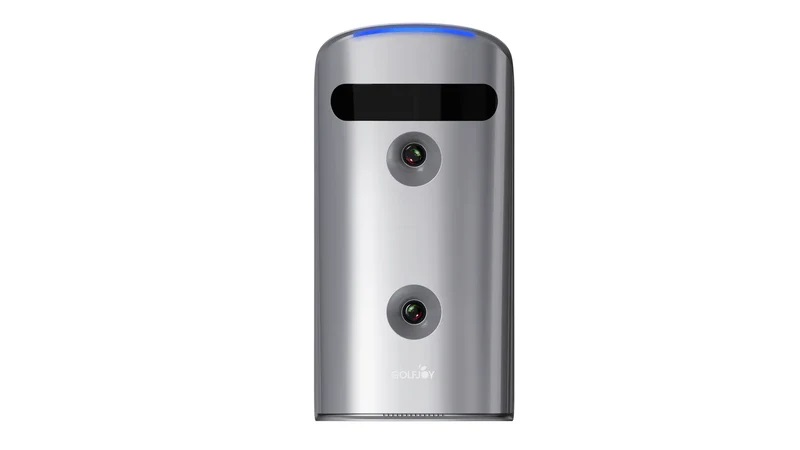
The GDS Pro is built around a dual ultra-high-speed camera system that captures 27 data points on every shot — covering both ball and club metrics in full detail. Ball speed, launch angle, spin rate, club path, attack angle, carry distance, smash factor — everything you need to understand and improve your swing is tracked on every single swing.
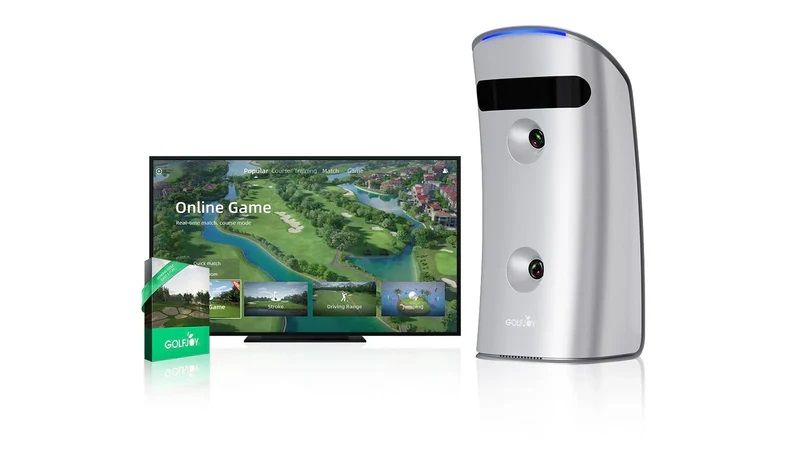
What makes the GDS Pro especially practical is its flexibility. It performs accurately both indoors and outdoors. Its 9-axis stability system ensures consistent readings on virtually any surface — a hitting mat, turf, or concrete garage floor. And it's compatible with the full range of major simulation platforms: GOLFJOY Software (with a free 3-month trial on purchase), GS Pro, E6 Connect, and Creative Golf.
If you already have a simulation setup with a preferred software platform, the GDS Pro integrates without requiring you to change anything. It's a launch monitor that fits into your existing workflow rather than forcing a new one.
Spica 3: Triple Camera System With Built-In Touchscreen
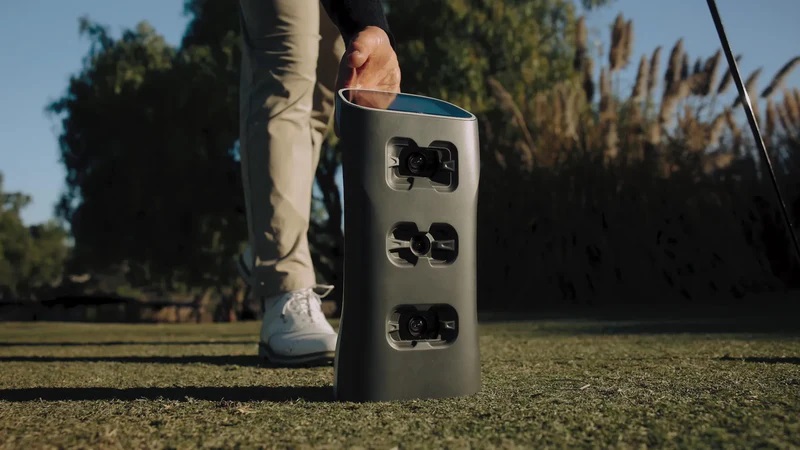
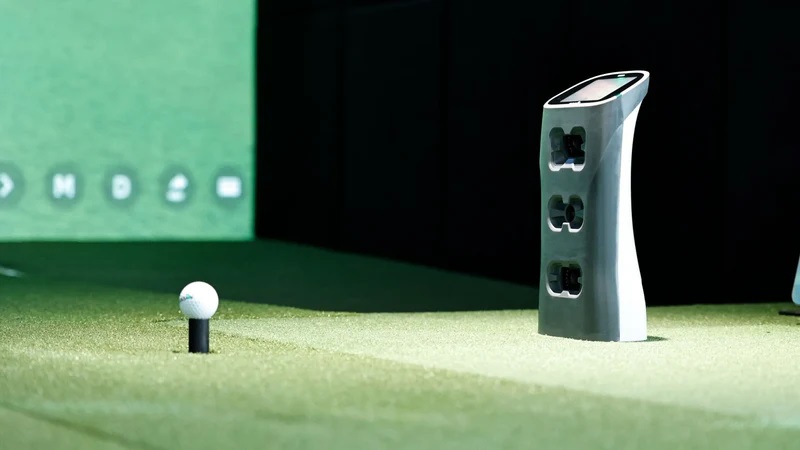
The Spica 3 steps up the hardware with a triple ultra-high-speed camera system — adding a third camera for more comprehensive data capture across both ball and club. The result is the same 27 data points as the GDS Pro, captured with additional optical coverage at impact.
The feature that distinguishes the Spica 3 most clearly in everyday use is the built-in touchscreen display. You see your shot data immediately on the device — no phone, no tablet, no Bluetooth connection required. For golfers who find app-dependent workflows disruptive to their practice flow, this is a genuine quality-of-life improvement. Set the Spica 3 up, hit a shot, look down, see exactly what happened.
The Spica 3 also includes 9-axis stability and works with the same software ecosystem as the GDS Pro — GOLFJOY Software, GS Pro, E6 Connect, and Creative Golf. Like the GDS Pro, launch monitor purchase includes a 3-month free trial of GOLFJOY Software.
Side-by-Side Comparison
| Feature | GDS Pro | Spica 3 |
|---|---|---|
| Camera system | Dual high-speed cameras | Triple high-speed cameras |
| Data points tracked | 27 | 27 |
| Built-in display | No — requires phone/tablet | Yes — built-in touchscreen |
| Indoor/outdoor use | Both | Both |
| Stability system | 9-axis | 9-axis |
| Third-party software | GS Pro, E6 Connect, Creative Golf | GS Pro, E6 Connect, Creative Golf |
| GOLFJOY Software trial | 3 months free with purchase | 3 months free with purchase |
| Best for | Data-focused golfers, existing software setups | Golfers who want screen-free data access |
Which One Should You Choose?
Choose the GDS Pro if: You already use GS Pro, E6 Connect, or another preferred platform and want a reliable, accurate launch monitor that integrates cleanly. You're comfortable with a phone or tablet as your data display. You prioritize maximum flexibility across environments and setups.
Choose the Spica 3 if: You want to see your shot data without reaching for your phone every swing. The built-in touchscreen is a genuine workflow improvement that adds up across hundreds of practice shots. You want the most complete portable package available from GOLFJOY, including more comprehensive optical coverage at impact.
Both are serious tools that deliver real, actionable data. The right choice depends on how you practice — not which one sounds more impressive on paper.
Real Golfers, Real Setups — How US Golfers Are Using Both
The GDS Pro tends to show up in setups where the golfer already has a system running. A mid-handicapper in suburban Atlanta who's been on GS Pro for two years and wants better data without rebuilding his whole setup — the GDS Pro drops right in. A teaching pro in Phoenix who moves between four different lesson bays and needs a portable unit that works consistently across all of them — same answer.
The Spica 3 comes up more often in new builds and among golfers who are setting up their first real home bay. A competitive junior in Texas whose parents built out a garage bay and wants everything in one clean package. A 12-handicapper in Chicago who practices late at night after work and doesn't want to fumble with his phone between shots during a focused iron session. The built-in screen changes the rhythm of practice in a way that's hard to explain until you've used it.
Both monitors are being used by competitive players at every level — from weekend club players to athletes competing at NB3JGNC events and NXXT Golf tours. The technology is the same regardless of where you're playing.
What About the Software?
Both the GDS Pro and Spica 3 come with a free 3-month trial of GOLFJOY Software — which covers Pebble Beach Golf Links, Spyglass Hill Golf Course, Shinnecock Links Course, Del Monte Golf Course, and over 150 courses total. That's enough time to play a real season's worth of virtual rounds and evaluate whether the platform fits your practice style before committing to a subscription plan.
If you're already on GS Pro or E6 Connect, both monitors connect without any friction. You don't need to change a thing about your current setup — just add the launch monitor and start getting better data.
Pick the Tool That Fits How You Actually Practice
Neither monitor is a wrong choice. The GDS Pro gives you serious, portable data collection that plugs into whatever ecosystem you already use. The Spica 3 gives you all of that plus the convenience of seeing your numbers the moment the ball leaves the face — no extra steps, no extra devices.
If you practice in a garage in the Pacific Northwest and lose four months of outdoor golf every winter, either one turns that dead season into productive training time. If you're a competitive junior in Florida who practices year-round and wants the most streamlined feedback loop possible, the Spica 3's built-in screen is worth the upgrade.
Know how you practice. Pick the monitor that matches it. Then start getting better data — and better results.